










Animated holiday widgets for iPhoneJubs app icon

Your favourite celebrations.
On your Home Screen.

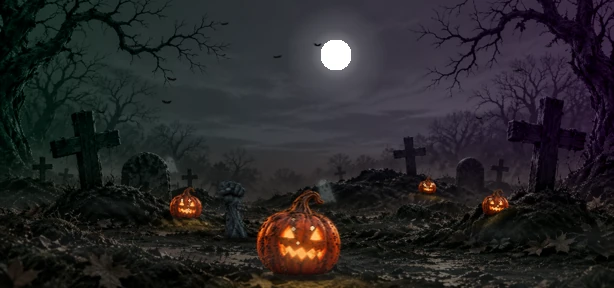
Make your iPhone feel festive with miniature animated worlds. Start with Halloween scenes that change from day to night, with more celebrations from around the world on the way.

iPhone coming soon · Mac coming soon

Try the live preview
LIVE WIDGET PREVIEWChoose a world. Try a size.
More worlds

Explore real Jubs artwork. Switch between day and night, or try a smaller widget.

MAKE YOUR HOME SCREEN YOURS

A celebration
with every glance.

Give your everyday screen a festive touch, without changing your whole layout.

Scenes with a life of their own.

Watch potions bubble, bats flutter, and zombies dance. Each world brings its own character to your Home Screen.

Daylight to moonlight, automatically.

Your widget’s lighting follows the time of day. Bright scenes by day, moonlit magic after dark.

A size that fits your screen.

Choose a compact square or a wider scene. Leave room for your apps while keeping your favourite world in view.

THE FIRST COLLECTION

A little Halloween.
A lot of personality.

Meet Graveyard, Caldeiron, and Monster Hill.
Halloween is the beginning. Christmas
and more worldwide festivities are planned.

Explore the Halloween collection
A LITTLE BEDSIDE WONDER

Even time
gets a little
magical.

Turn your charging iPhone into a festive bedside clock. Jubs StandBy clocks pair the time with a miniature Halloween world.

Halloween Clock · More festive faces on the way
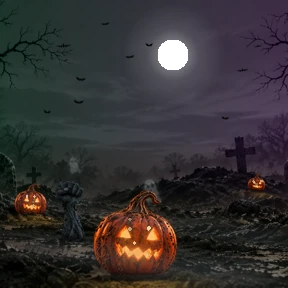
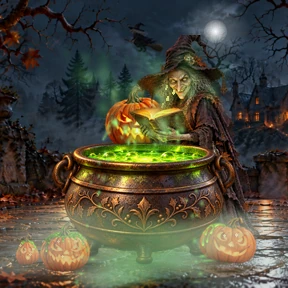
Sweet dreams, little world. ✧

Illustrative StandBy layout using Jubs artwork
A FEW LITTLE ANSWERS

Wondering
about something?

Downloads, widget setup, and what’s coming next.

Open Jubs and choose a world. Then add a Jubs widget from your iPhone’s Home Screen widget gallery and choose the size that fits your layout.

Jubs for iPhone is coming soon. You can explore the interactive preview here while we prepare the release. Mac widgets are also in development.

Visit the Jubs Support page for step-by-step help with Home Screen widgets, choosing a Halloween world, and setting up your StandBy clock.

Jubs is an iPhone app for animated holiday and festival widgets. Add a miniature festive scene to your Home Screen, or a themed clock to StandBy. Halloween is the first collection, with more celebrations from around the world planned.

Not yet. We’re working on Mac desktop widgets and will share more when they’re ready.

The first collection features three Halloween worlds: Graveyard, Caldeiron, and Monster Hill. Christmas is in development. We’re building towards a collection of festivities and traditions from around the world.

Yes. Jubs includes Halloween Clock widgets for iPhone StandBy. Charge your iPhone in landscape with the screen locked, then add a Jubs clock from the StandBy widget gallery.

This interactive preview uses artwork and animation from Jubs. Pointer movement and the day/night controls let you explore the world here; the app’s widgets follow their own animation and local-time lighting.

Make room for
a little wonder.

Animated holiday widgets for a Home Screen that feels like you.

iPhone coming soon · Mac coming soon