
Choose a scene with its own character
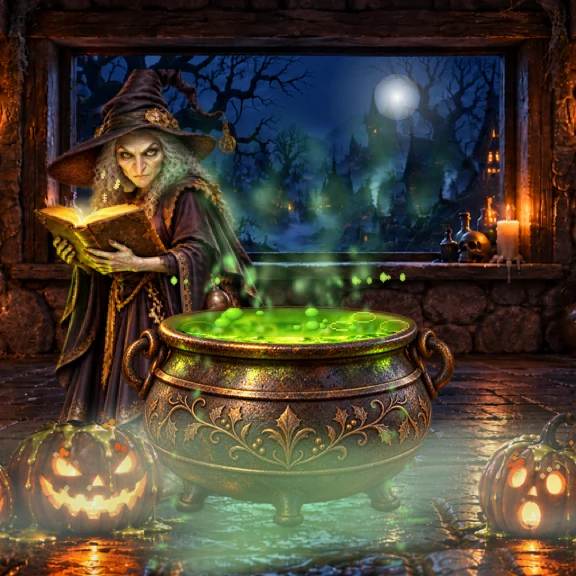
The first Jubs collection includes six Halloween worlds: Graveyard, Caldeiron, Monster Hill, Trick or Treat, Forest Ride, and Pumpkin Patch. Pick a moonlit graveyard, a potion brewing in the dark, or a little patch of glowing pumpkins. Browse the Halloween widget collection to compare the artwork.
Square or wide: make room for your world
A compact square gives your scene a small corner beside your apps. A wider widget gives the artwork more space across your Home Screen. The interactive iPhone preview lets you try both sizes and switch between day and night before choosing a layout.
From daylight to moonlight
Jubs widget lighting follows the local time of day. Each scene has daytime and nighttime artwork, so the atmosphere changes along with your day. The website preview gives you manual controls to explore both versions.
What to expect from an animated widget
These are illustrated scenes made for widgets. The browser preview uses Jubs artwork and animation, with pointer movement and controls for exploring it here. The app’s widgets follow their own animation and lighting; the preview is not a promise of continuous video playback on your Home Screen.
Looking for a festive bedside clock?
Explore Jubs StandBy clock widgets for a different way to bring Halloween to your charging iPhone. Home Screen scenes and StandBy clocks serve different layouts, so choose the one for the place you want to decorate.
Before you get Jubs
Which holidays are included?
Halloween is the first collection. Christmas artwork is a preview of a collection in development, rather than an available widget pack.
Does Jubs replace my icons or wallpaper?
Jubs focuses on festive widgets. You can arrange them alongside your existing apps and wallpaper; this page does not offer an icon pack or wallpaper download.
How will I add a widget?
Once Jubs is available and installed, add it through the iPhone widget gallery and select a size. Our Home Screen setup guide covers placement, moving, and removing widgets.